

Photo cleaner for iPhone and Android
Clean up your photo gallery without giving up control
Find duplicate, blurry and unwanted photos, improve soft images and rediscover forgotten memories. Accurator keeps photo processing on your device and lets you review every deletion.


- On-device photo processing
- No account required
- You approve every deletion
One app, three focused tools
A faster route to a gallery worth keeping
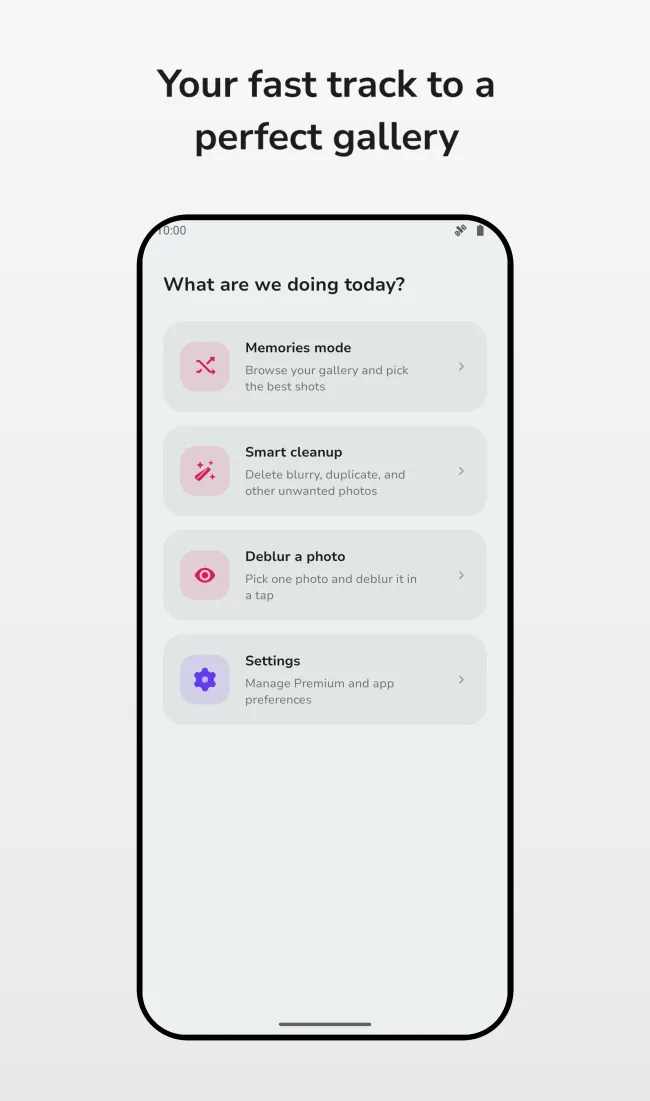
Choose the workflow that fits the moment: scan clutter automatically, improve a blurry image or review your library one memory at a time.
Smart photo cleanup
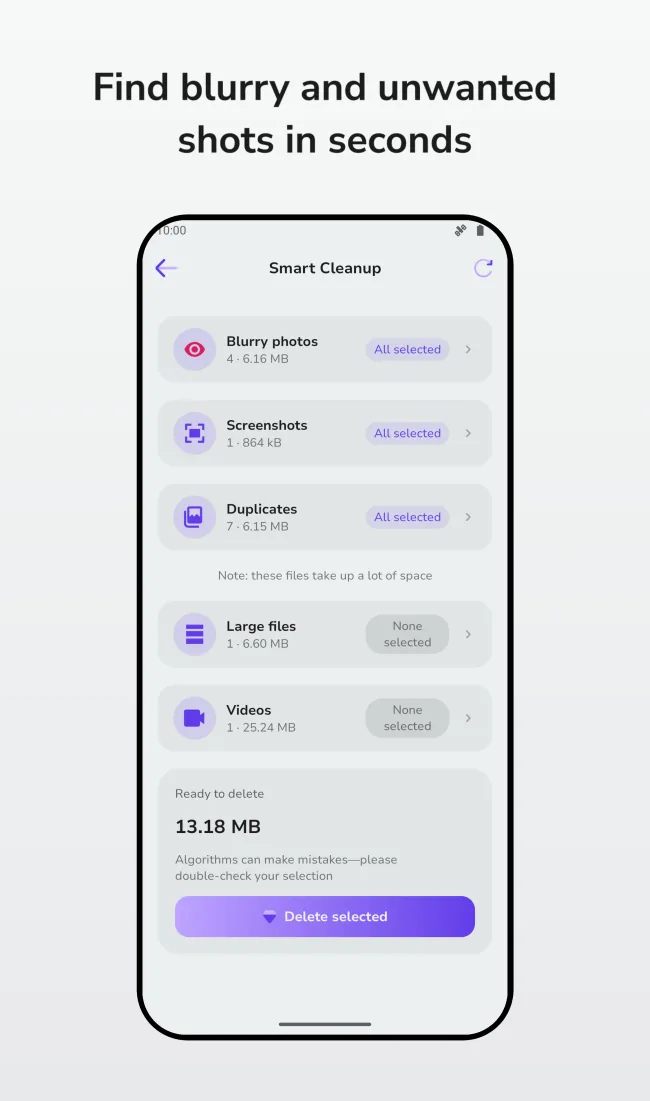
Surface likely duplicates, blurry shots, screenshots and large media, then check the selection before anything is removed.
Explore the featureLocal photo deblurring
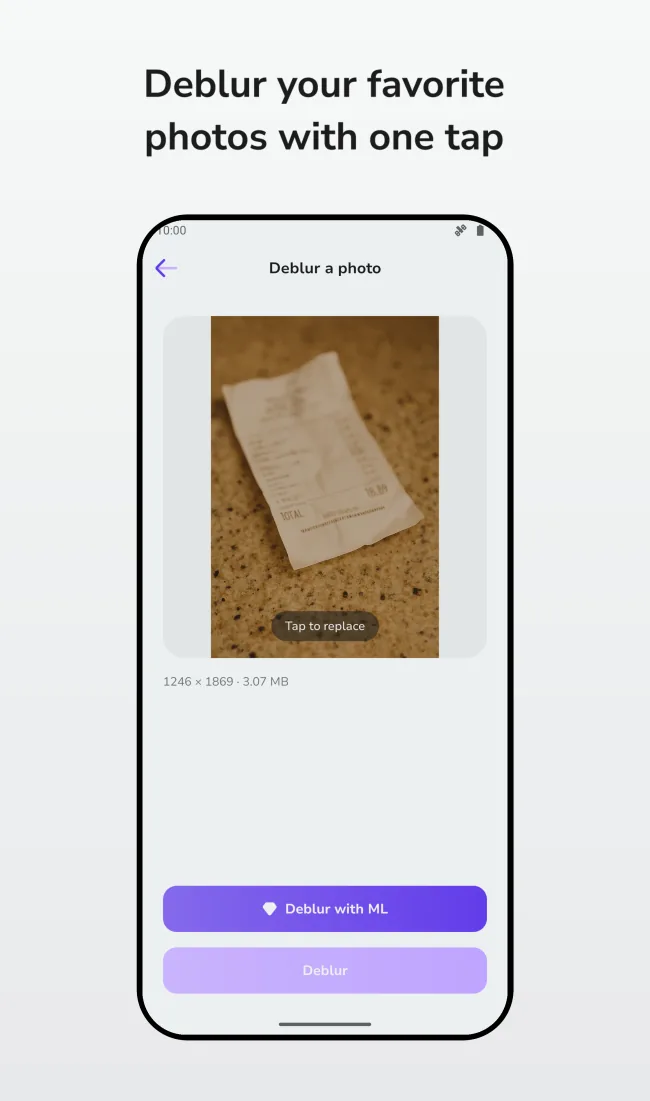
Improve the clarity of a soft or motion-blurred photo with on-device machine learning and compare the result before saving.
Explore the featureMemories mode
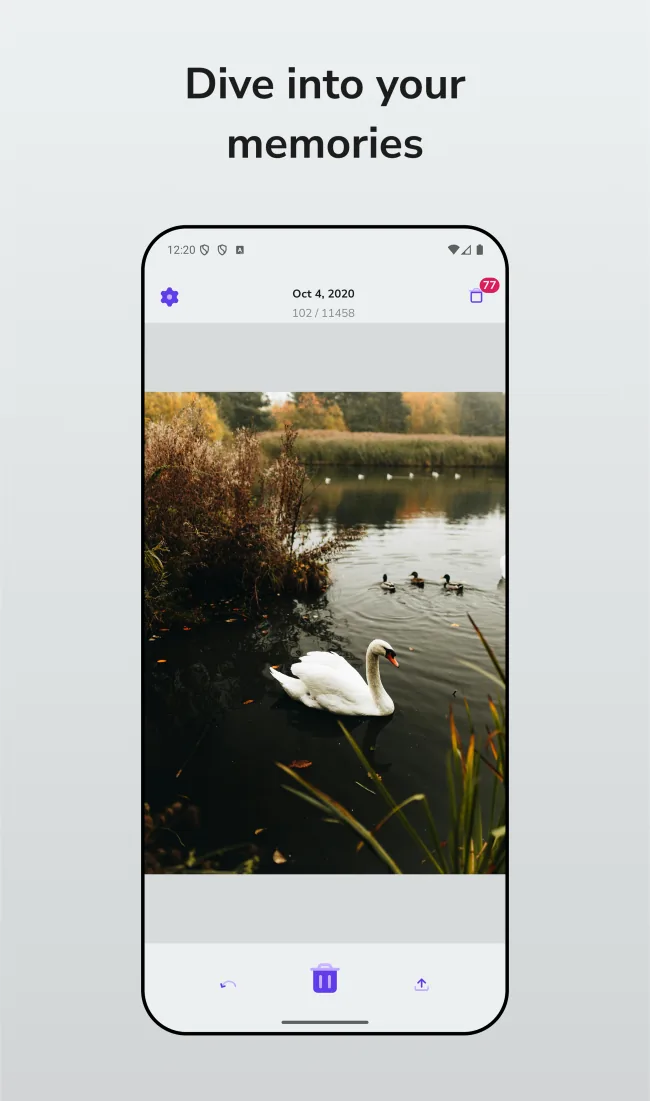
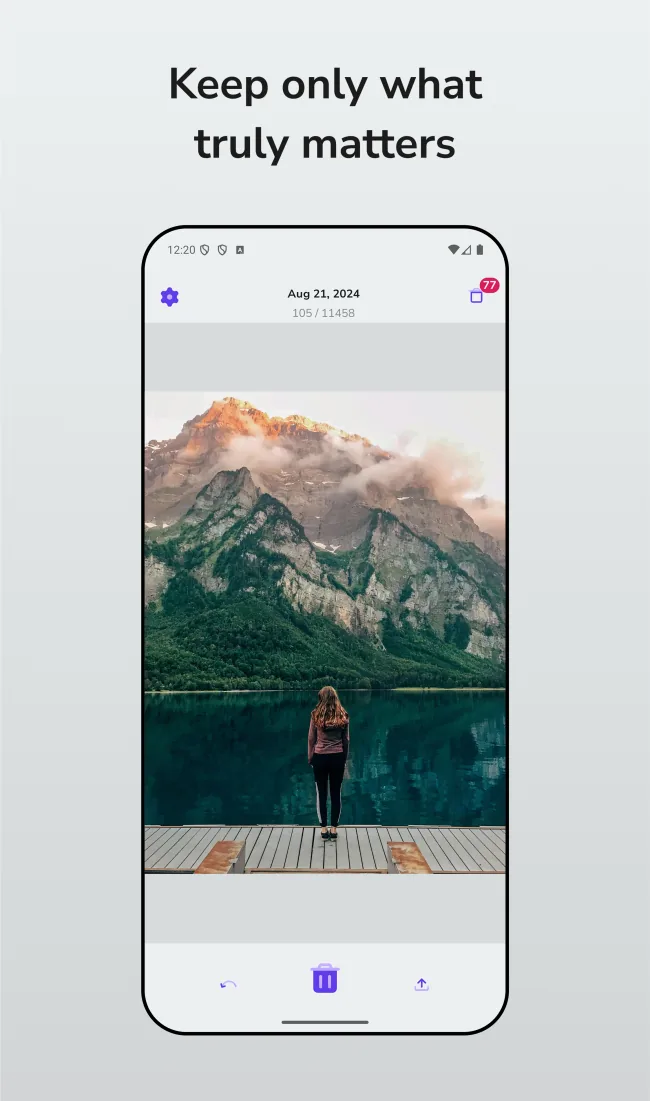
Turn gallery cleanup into a calm review of forgotten moments. Keep a photo, share it or place it on a separate deletion list.
Explore the featurePrivacy by design
Your photos stay on your device. Accurator does not require an account or upload your photo library to its servers.
Simple by design
Review first. Delete only when ready.
-
1
Choose a cleanup mode
Run Smart Cleanup, open a single photo in Deblur or browse your gallery in Memories mode.
-
2
Check the suggestions
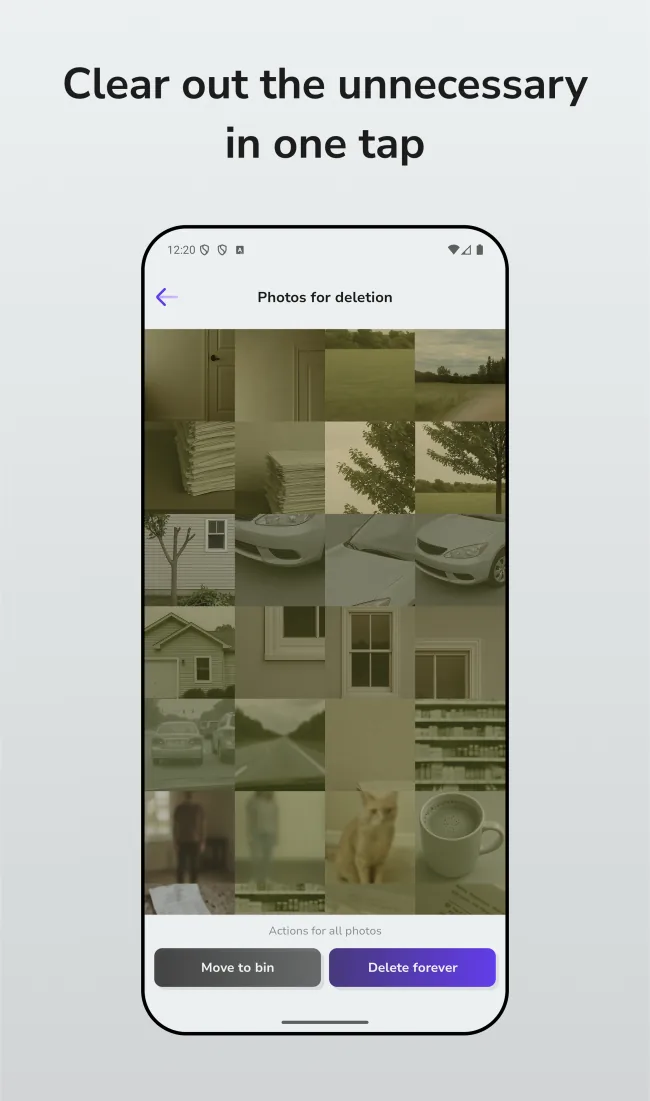
Inspect every selected image, deselect what matters and add only unwanted photos to the deletion list.
-
3
Confirm the final action
Open the separate deletion screen, review it once more and remove the selected items when you are ready.
Your library stays yours
Photo processing belongs on your phone
Accurator analyzes and improves photos locally. Your images are not copied to an Accurator server, and the app never decides what to delete without your confirmation.
Inside the app
See every step before you download
Good to know
Frequently asked questions
Clear answers about privacy, cleanup suggestions and availability.
Does Accurator upload my photos?
No. Photo analysis and enhancement happen locally on your device. Accurator does not upload or store the photos in your library on its servers.
What can Smart Cleanup find?
It can surface likely blurry photos, screenshots, duplicate groups and large photos or videos. These are suggestions: you can review and change every selection before deletion.
Can I deblur a photo without sending it online?
Yes. Deblur processing uses a local machine-learning model. Results and processing time depend on the image and the performance of your device.
Is Accurator available for iPhone and Android?
Yes. Accurator is available as a free download on the App Store and Google Play, with optional Premium features available in the app.
Start with one photo
Make room for the photos you actually want
Download Accurator and choose how you want to review, clean and improve your gallery.